Event Log Triage
Read, filter and export Windows event logs from files, live channels and remote PCs in one timeline.
Free 7-day trial, then a one-time purchase: $9.99. Updates through the Microsoft Store.
-
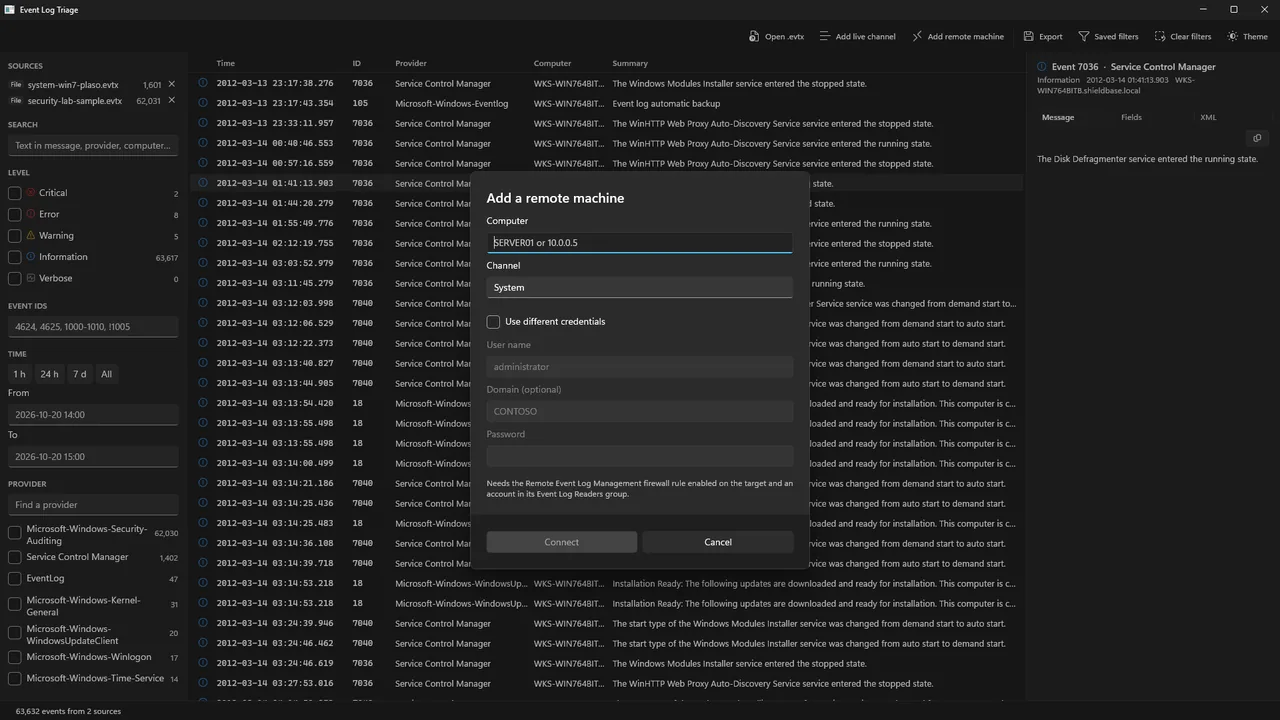
Remote computers in the same timeline
Add a computer by name, with different credentials if you need them. Its events sit in the same list as your saved
.evtxfiles and this computer's live channels, sorted by time, with a Computer column so machines stay distinguishable. No RDP session. -
Small, no account, no telemetry
About 12 MB of native code. No account and no telemetry. The only network traffic is the remote connection you add and the Microsoft Store's own licence, purchase and rating requests. Works offline. Light and dark themes.
-
Windows 10 1809 and up
Runs on Windows 10 version 1809 or later and on Windows 11, on x64 (64-bit Intel or AMD) PCs. The Microsoft Store installs the app and the Windows App Runtime it needs. No other setup.
What it does
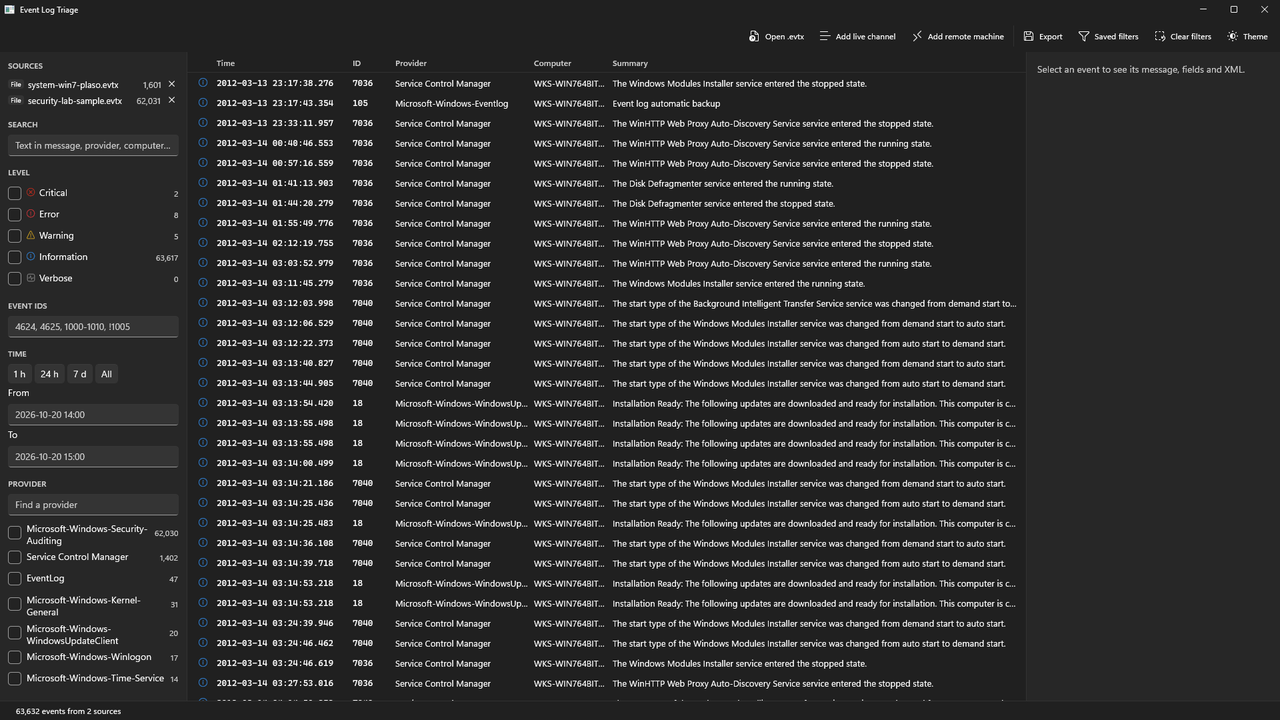
- Get events in. Open
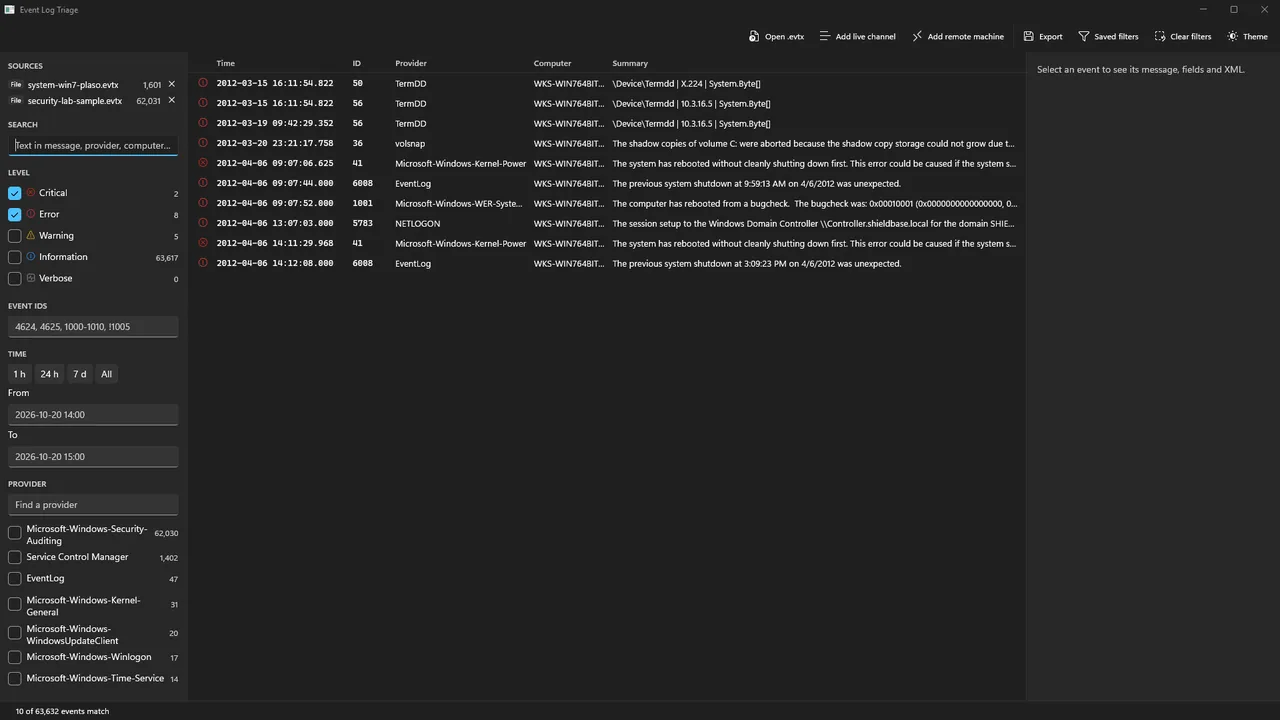
.evtxfiles (Ctrl+O), drag them onto the window, or double-click one once the app is installed. Add any live channel on this computer, or a channel on a remote computer. - Filter. Levels, providers and computers with counts. Event ID expressions such as
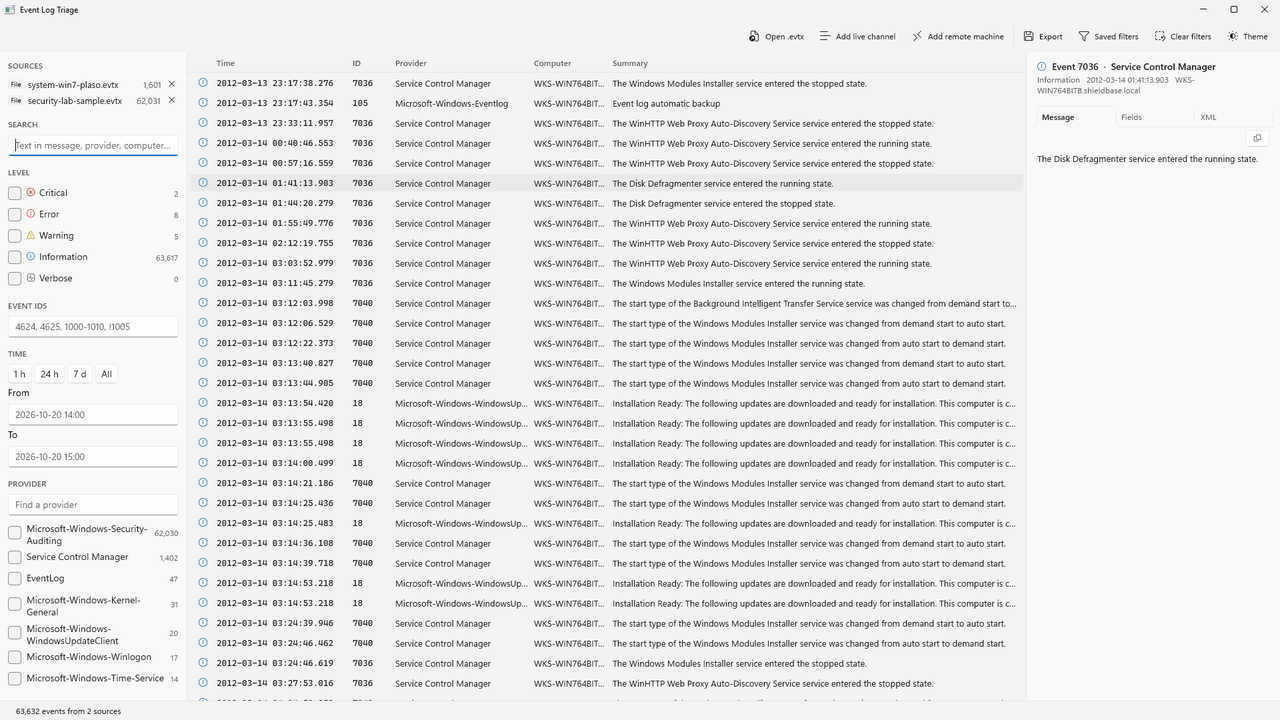
4624, 4625, 1000-1010, !1005. A time range or a one-click last hour, day or week. Free text across message, provider and computer. Every filter combines, and the status bar shows the match count. - Read the whole event. The full message, every parsed field (including the resolved account name for a SID) and the raw XML, each with a copy button.
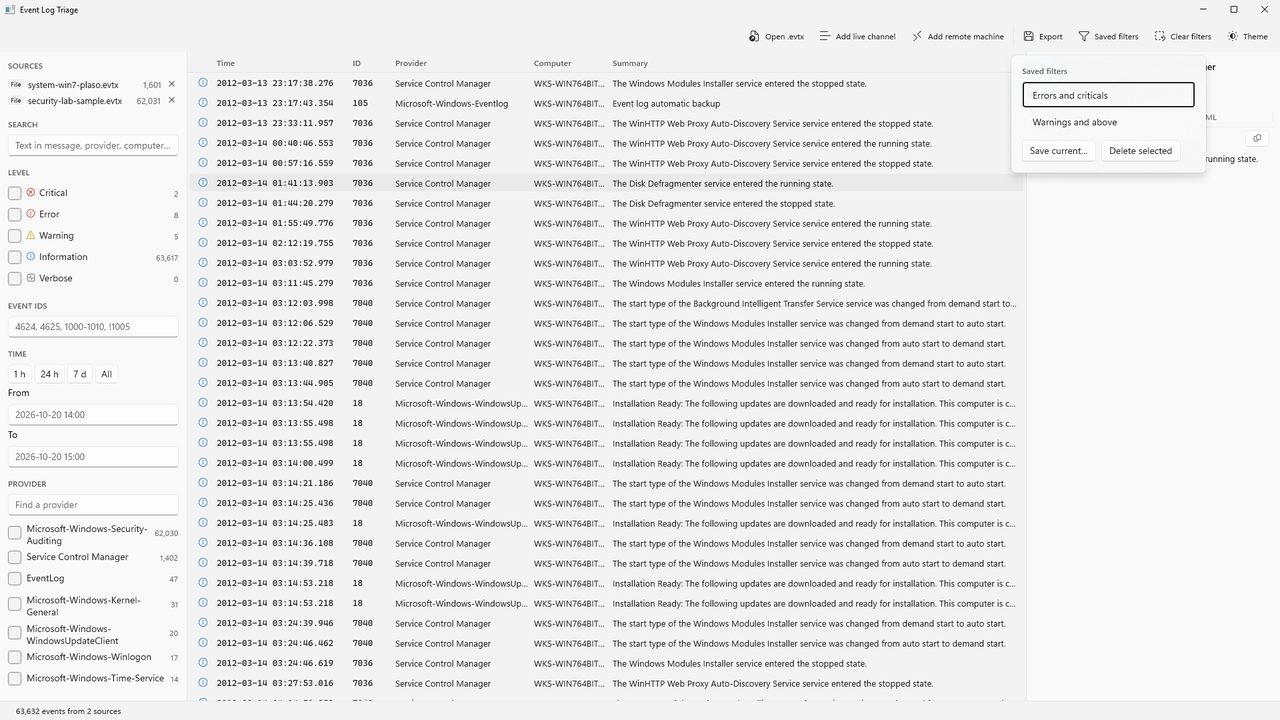
- Keep what works. Save a filter under a name and reload it next time.
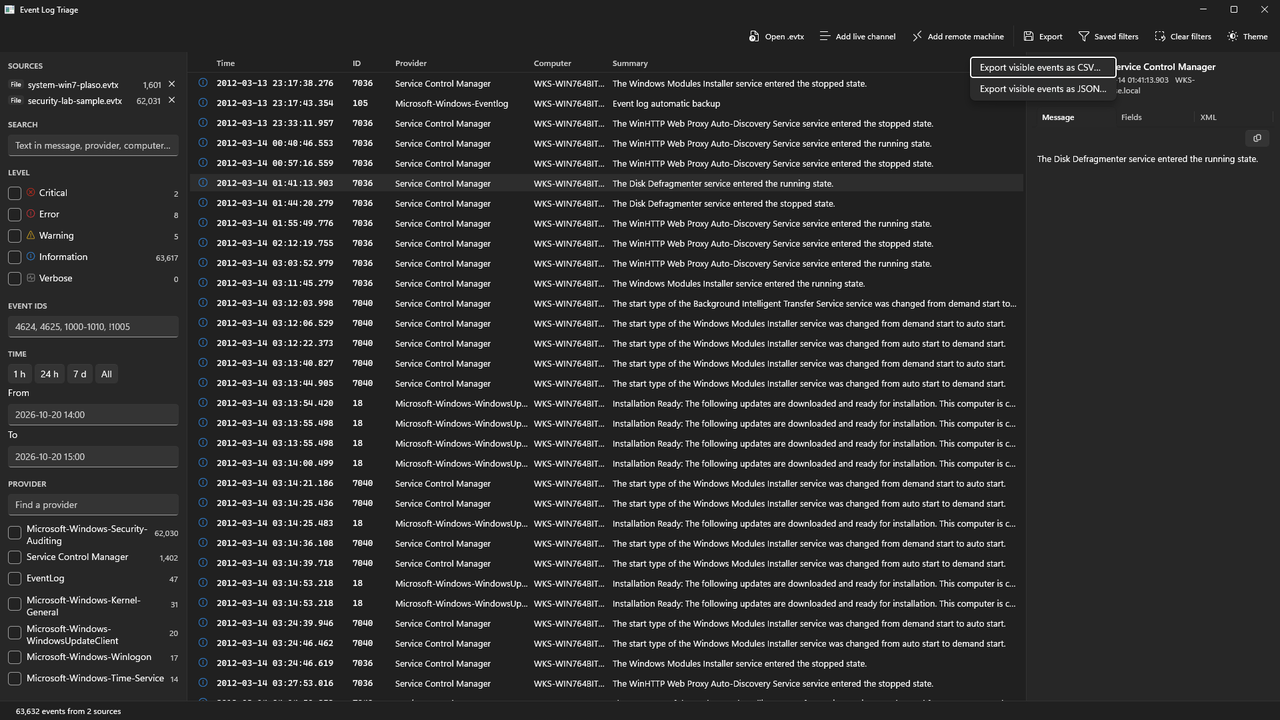
- Export. Write exactly the rows you see to CSV for Excel or JSON for scripts.
Screenshots
All screenshots use sample data.
What it is not
- Not a monitoring or alerting tool. It does not watch logs or send alerts, and there is no live tail: re-add a channel to refresh it.
- Not a SIEM or a log store. It does not collect, keep or forward logs. It is for the hour when you need to read what is already there. Continuous monitoring and retention are jobs for an RMM or a SIEM.
- Not a cloud service. No account, no telemetry, nothing uploaded. Reading is one way: the app never clears, writes or forwards a log.
Requirements
- Windows 10 version 1809 (build 17763) or later, or Windows 11, on an x64 (64-bit Intel or AMD) PC.
- Installed from the Microsoft Store, which also installs the Windows App Runtime the app depends on.
- Live channels: an ordinary user can read Application, System and most operational channels. The Security channel and some others need the app run as administrator, or membership in the Event Log Readers group.
- Remote computers: the Remote Event Log Management firewall rules enabled on the remote computer, an account in its Event Log Readers or Administrators group, and RPC reachable over the network. The user guide has the details.
- Memory: events are read into memory at roughly 1.5 KB each, so 500,000 events need about a gigabyte.
Help and policies
- User guide: getting events in, filtering, saved filters, export, recipes, and the free trial.
- Support: the support address, what to include in a bug report, refunds and common questions.
- Privacy policy: the app collects no personal data and never contacts us.
How-to articles
- How to open an .evtx file on Windows
- How to view Windows event logs on a remote computer
- How to export a Windows event log to CSV
Get Event Log Triage
Free 7-day trial, then a one-time purchase: $9.99 on the Microsoft Store. The Store handles the trial, payment, installs and updates.